Create a slot
Slots define when you publish. Set them up once and they repeat on your chosen schedule.
Manage Slots
Go to Manage Slots in the sidebar to see your existing slots and add new ones.
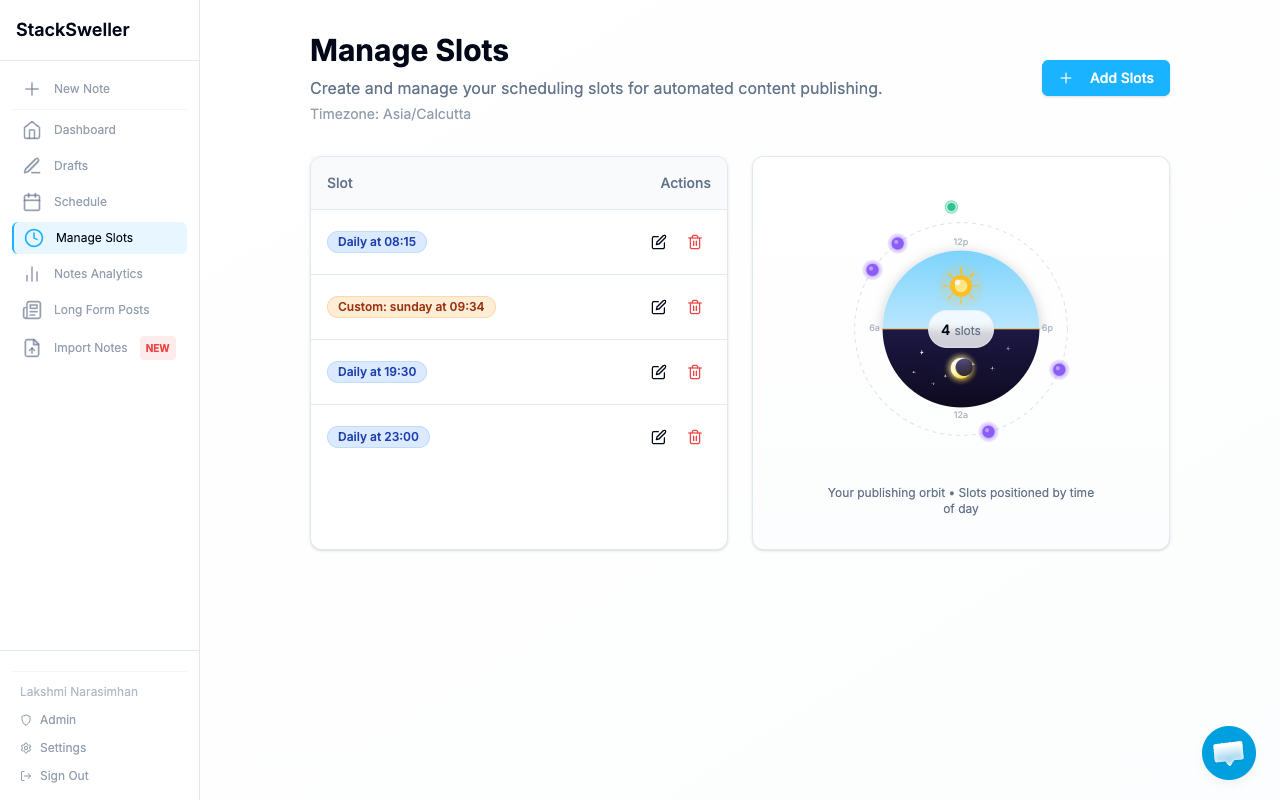
The orbit visualization on the right shows when your slots fire throughout the day.
Add a new slot
- Click + Add Slots
- Choose the recurrence:
- Daily — fires every day at the set time
- Custom — choose specific days of the week (e.g. Sunday only)
- Set the time (in your configured timezone)
- Save
Example slots
| Slot | When it fires |
|---|---|
Daily at 08:15 | Every day at 8:15am |
Daily at 19:30 | Every day at 7:30pm |
Custom: sunday at 09:34 | Every Sunday at 9:34am |
Edit or delete a slot
Use the pencil icon to edit a slot’s time or recurrence. Use the trash icon to delete it.
⚠️ Warning
Deleting a slot does not delete the notes queued in it. Review your queue in the Schedule page before deleting.
Add notes to a slot
When writing a note, click Add to Queue (the dropdown arrow lets you choose a specific slot). The note joins the end of that slot’s queue.