Content calendar
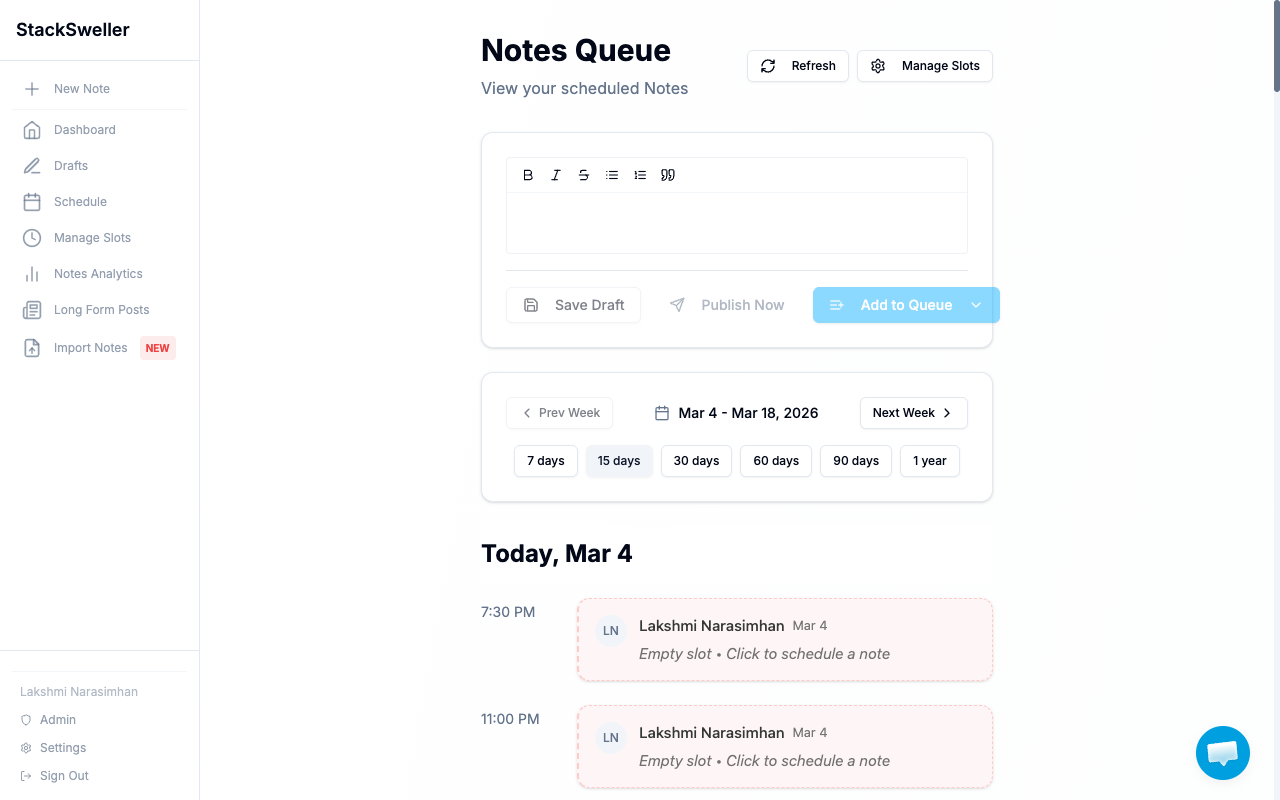
The Schedule page includes a weekly timeline view of all your upcoming slot occurrences.
Navigating the timeline
Use Prev Week / Next Week to move through weeks, or jump ahead with the 7 / 15 / 30 / 60 / 90 days / 1 year quick-select buttons.
What’s shown
- Filled slots — show the note title (click to preview or edit)
- Empty slots — show “Empty slot • Click to schedule a note” — click to open the editor and add a note directly to that slot
Fill an empty slot
Click any empty slot in the timeline to open the editor with that slot pre-selected. Write your note and click Add to Queue — it goes into that exact slot.
The orbit widget
The orbit visualization in Manage Slots shows a 24-hour clock view of when your slots fire — useful for spacing out your publishing throughout the day.