How scheduling works
StackSweller uses a slot-based scheduling system. You define recurring time slots (e.g. “Daily at 8:15am”), and notes fill those slots automatically.
The Notes Queue
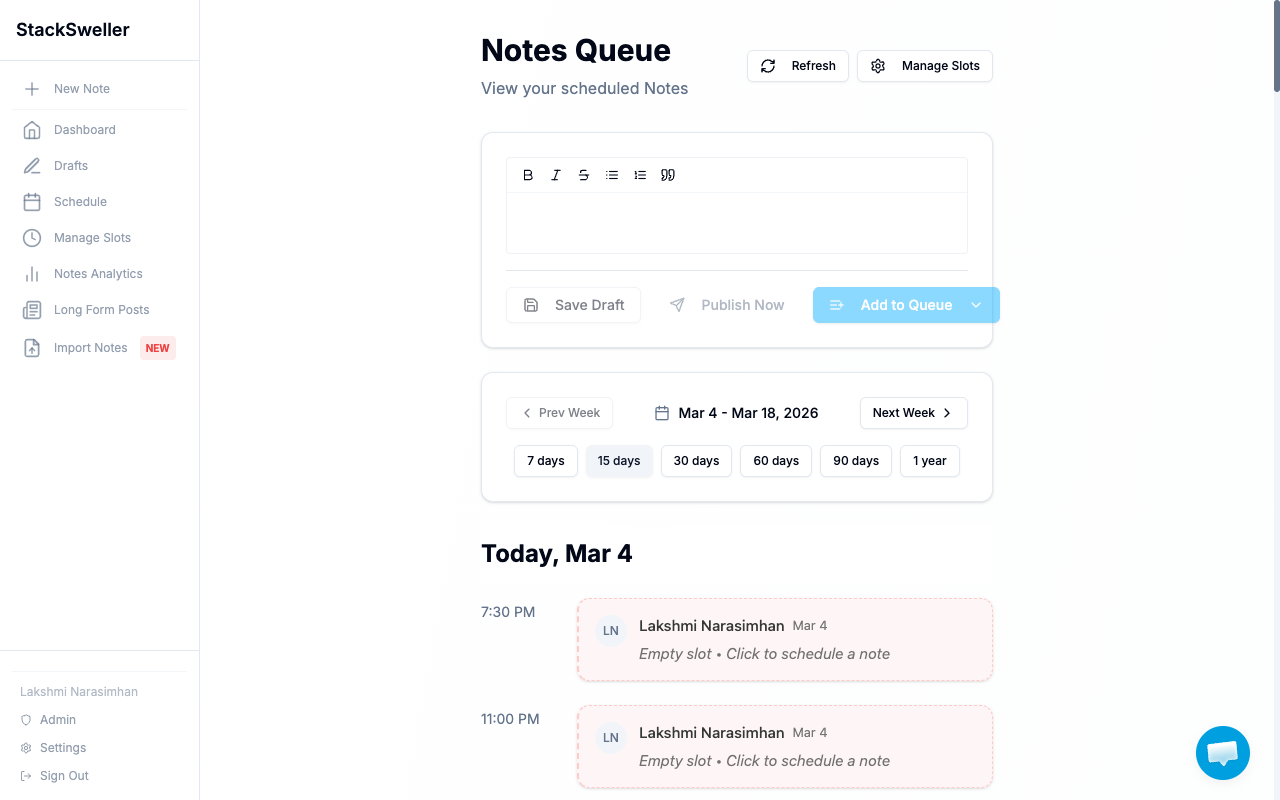
The Schedule page (Notes Queue) is your scheduling command center. It shows:
- An inline note editor to quickly write and queue notes
- A weekly timeline of upcoming scheduled slots
- Which slots are filled and which are empty
Slots vs. direct scheduling
| Slots | Post Now | |
|---|---|---|
| How it works | Notes fill recurring time slots | Publishes immediately |
| Best for | Consistent daily/weekly publishing | One-off urgent notes |
| Setup | Set up once in Manage Slots | Done per note |
Most writers use slots as their primary system.
How slots work
- You create a slot in Manage Slots (e.g. “Daily at 8:15”)
- You add notes to the queue via Add to Queue in the note editor
- When the slot time arrives, StackSweller publishes the next note in the queue
What happens if a slot fires and the queue is empty?
The slot fires but nothing publishes — there’s just an “Empty slot” marker in the timeline. No error, no notification.
💡 Tip
Use AI generation to batch-generate notes and keep your queue filled 1–2 weeks in advance.