Drafts, scheduled & published
Notes in StackSweller move through three states: Draft → Scheduled → Published.
Drafts
Drafts are notes saved but not yet published or scheduled.
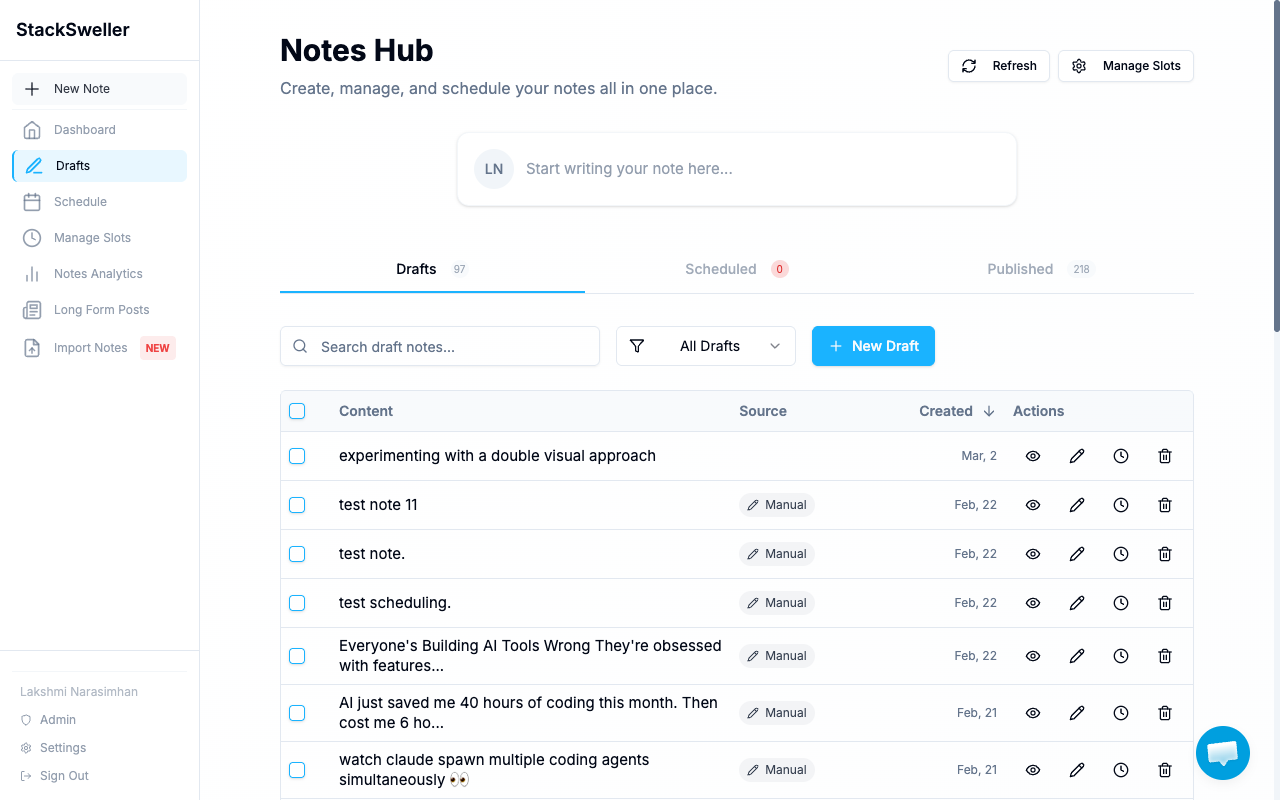
The Drafts tab shows:
- Note content preview
- Source — Manual or AI-generated
- Created date
- Actions: preview, edit, schedule, delete
Promote a draft
- Click the clock icon to schedule it at a specific time
- Click Add to Queue (when editing) to assign it to a slot
- Click Post Now to publish immediately
Scheduled notes
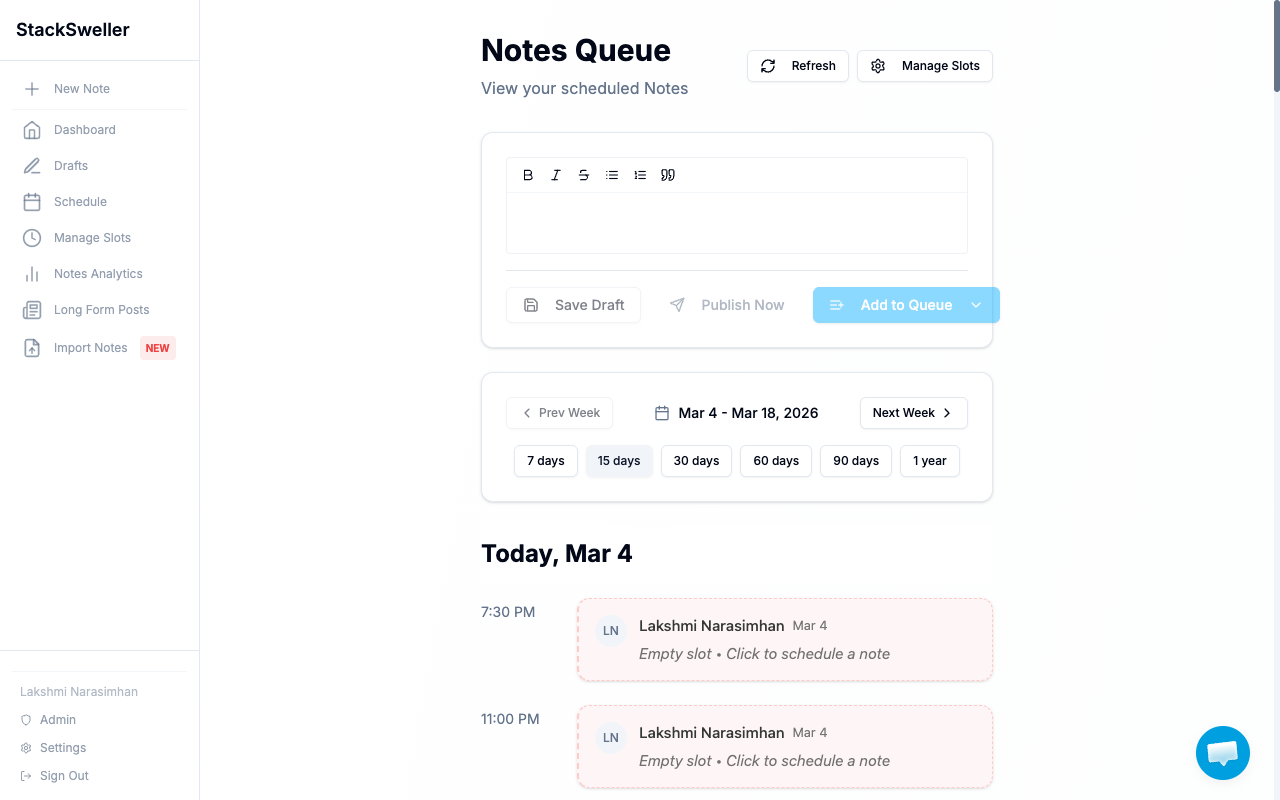
Scheduled notes appear in Schedule (sidebar) — the Notes Queue view. They have a confirmed publish time and will go out automatically.
⚠️ Warning
StackSweller can only publish notes while your Substack connection is active. If the connection expires, notes will fail to send. Check Settings if you see a Failed badge.
Published notes
Published notes are visible in the Published tab. Engagement data (likes, comments, restacks) is also available in the Notes Analytics page.