Notes Hub
The Notes Hub is your central workspace for all Substack short-form content. Everything you write, schedule, and publish lives here.
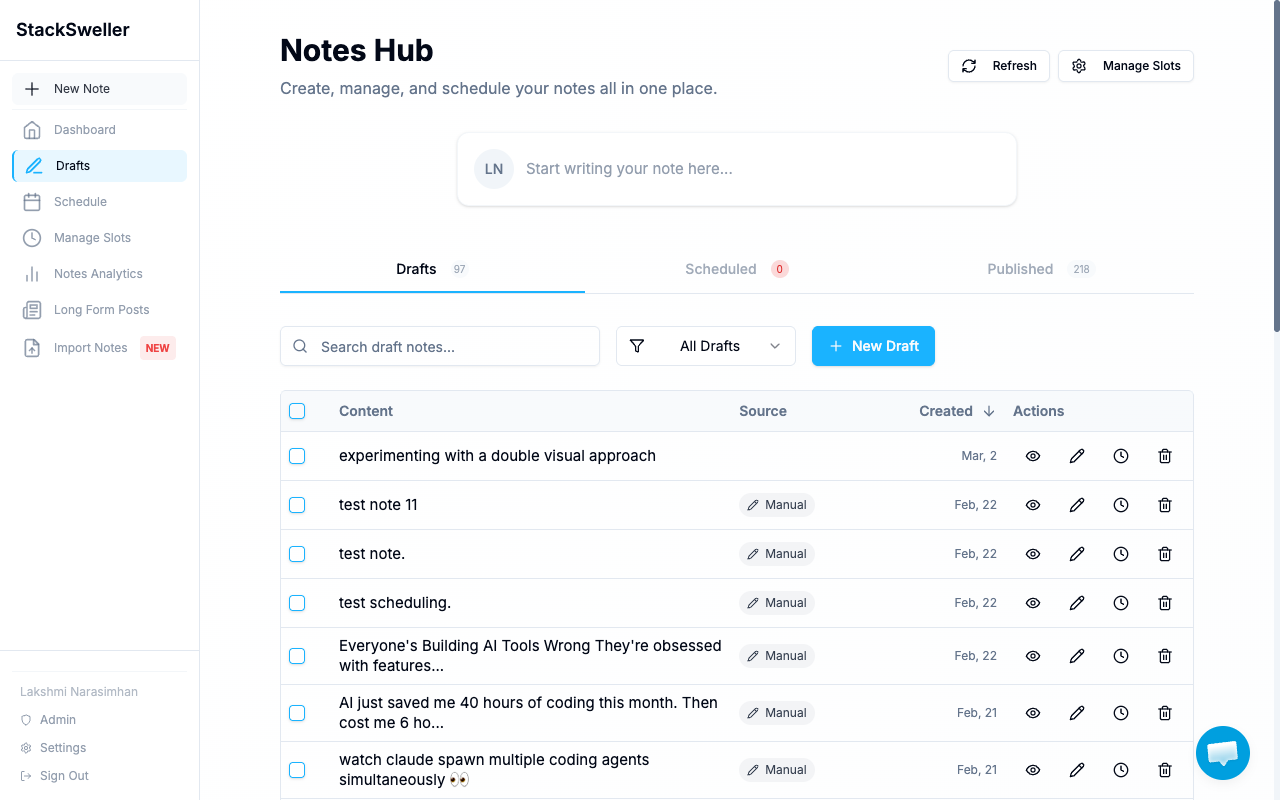
Tabs
| Tab | What’s in it |
|---|---|
| Drafts | Unpublished notes you’re still working on |
| Scheduled | Notes queued to publish at a future time |
| Published | Notes that have gone live on your Substack |
Access the Notes Hub via Drafts or Schedule in the sidebar.
Quick actions
From any note row you can:
- Preview — see how the note will look (eye icon)
- Edit — open the note in the editor (pencil icon)
- Reschedule — change the publish time (clock icon)
- Delete — permanently remove the note (trash icon)
Filters and search
Use the search bar to find notes by keyword. Use the All Drafts dropdown to filter by source (manual, AI-generated).